BrokerBridge turns the statements you already download from your brokers into one clear, private picture of everything your household owns — across every broker, every currency, every person. It runs entirely on your Mac.
Requires an Apple Silicon Mac (M1 or later), macOS 11 Big Sur or later. No credit card required.
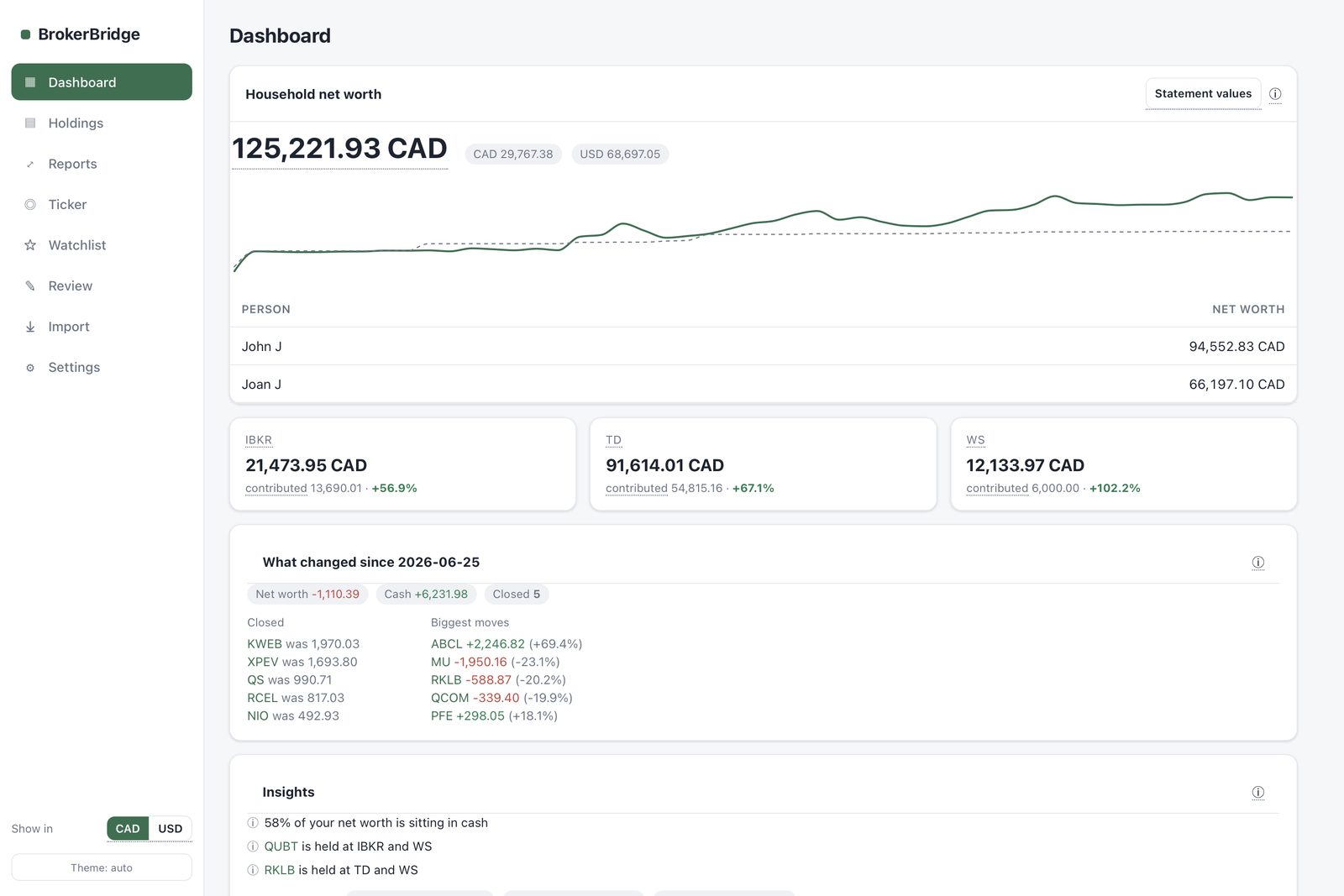
Every portfolio tracker wants your bank login. BrokerBridge doesn't.
You already get statements from every broker you use. Drop them in — nothing to link, nothing to authorize, nothing that leaves your computer.
One-click parsers for the brokers most people actually use, plus a way to bring in statements from anywhere else.
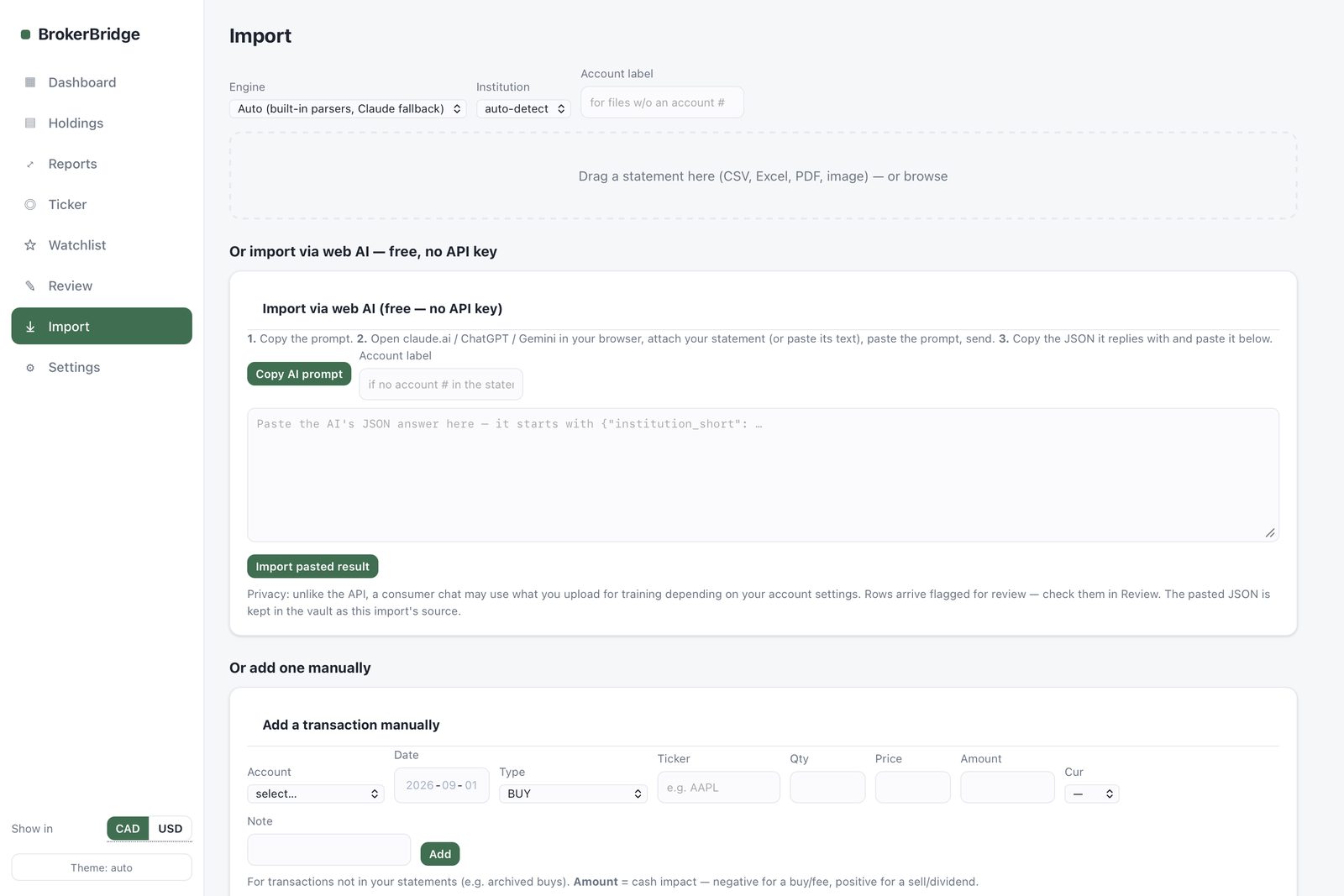
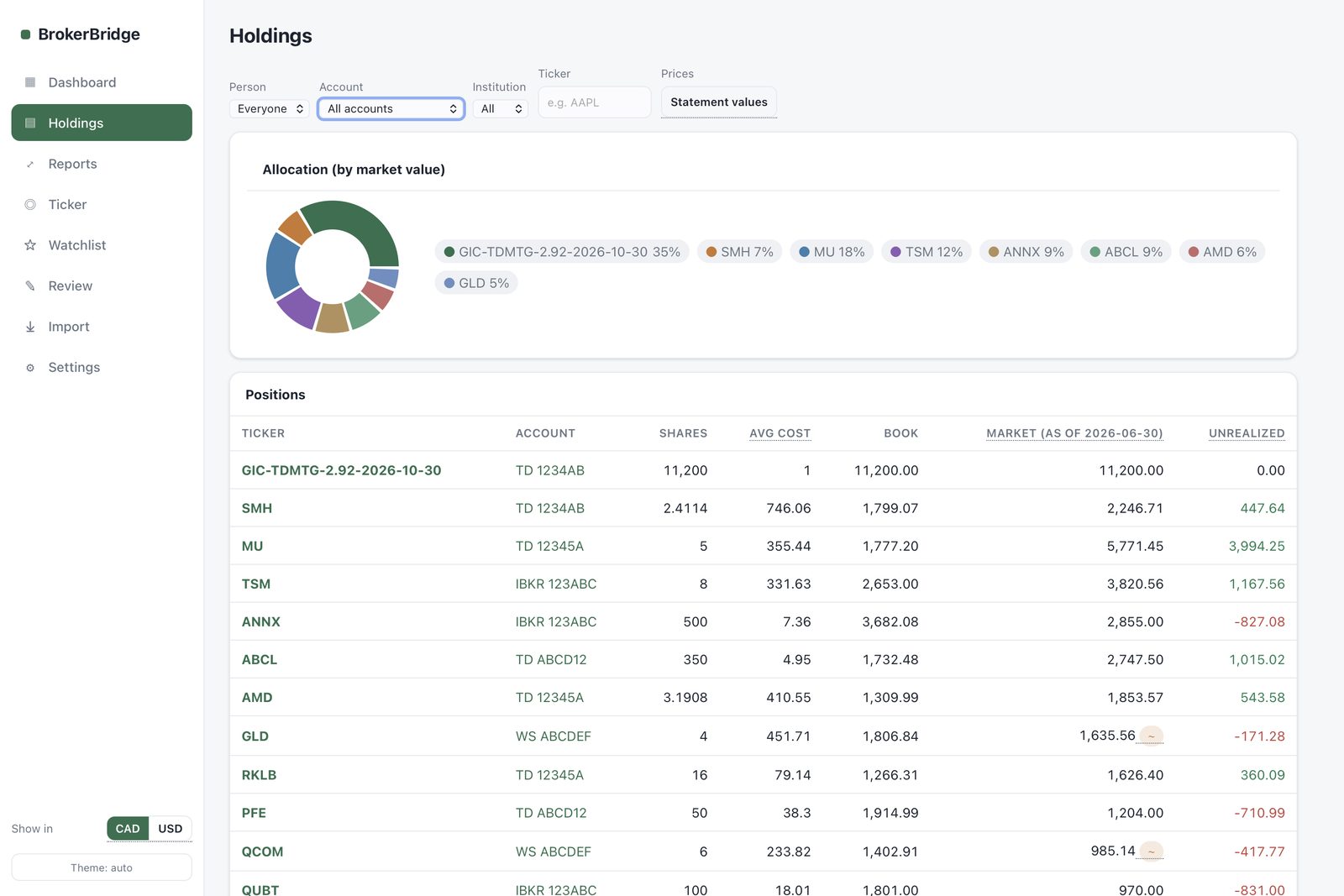
Every holding, every broker, every currency, in one place — with the numbers an analyst would actually track.
A running picture of performance — not just a balance, but whether it was worth it.
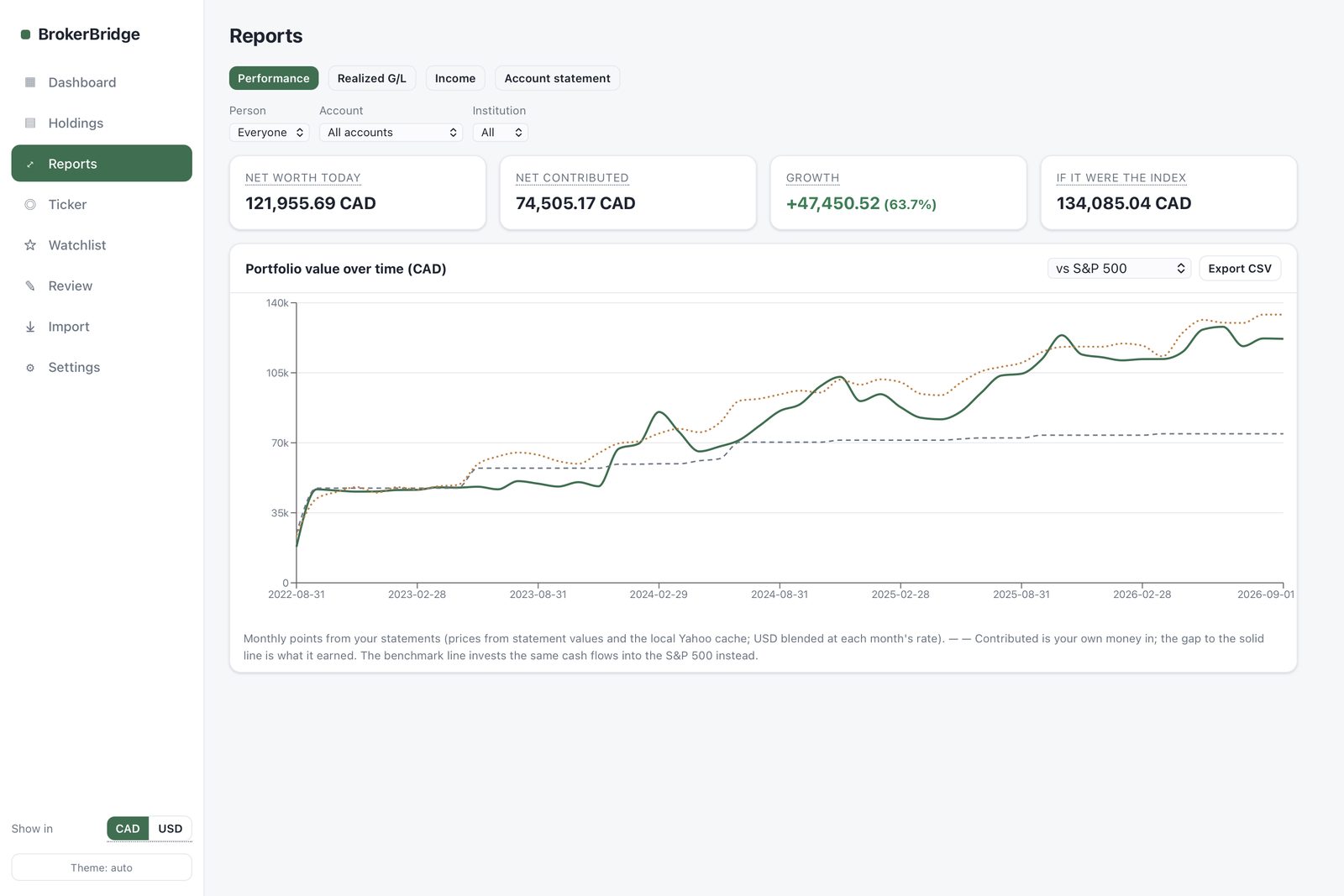
BrokerBridge reads your statements the way an analyst would — reconciling overlapping reports, tracking cost basis, and flagging the things worth knowing before you have to go looking.
Over-concentration, idle cash, fee creep, the same stock held at two brokers — surfaced automatically, every time you import.
No bank or brokerage logins are ever requested or stored. The only optional outbound calls are for market prices and, if you choose it, AI extraction — both off by default.
A single lifetime license. No subscription, no renewal, no account required.
Try it free for 14 days first — up to 50 transactions, no card required. Buy only once you're sure it's for you.
Download free trial Buy NowAn Apple Silicon Mac (M1 or later) running macOS 11 Big Sur or later.
Whichever limit you hit first, importing new data and adding new entries requires a license key. Everything you've already imported stays fully viewable — nothing is locked or deleted.
Yes, on up to 3 Macs you personally own or control, for your own household use.
It's a built-in, no-API-key-required way to extract data from messy statements: you paste the content into a free web AI chat of your choice, paste the result back into BrokerBridge. No account, no API key, no cost. If you'd rather skip that step, an optional direct Claude API import is also available using your own Anthropic API key.